
Within this guide:
• How to View Analytics
• Class Analytics
• Student Analytics
How to View Analytics
1. In the Bookshelf, click on a collection thumbnail to view all books within the collection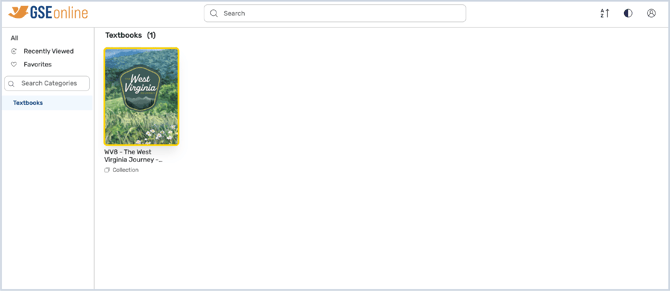
2. Click a book from the list to access the Analytics button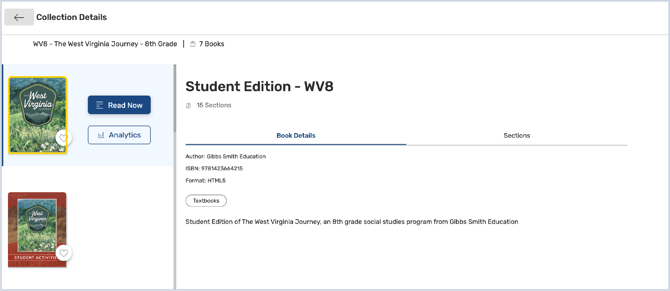
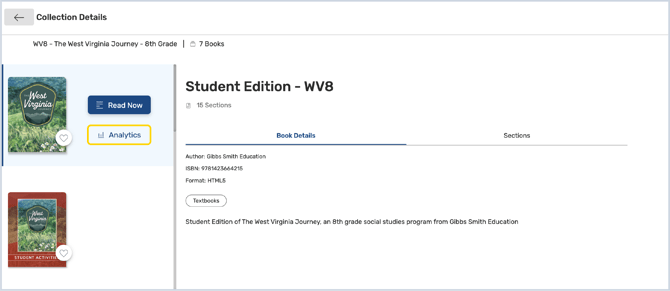
3. Click Analytics
Tip: Each book will have its own set of analytics. Student-facing books, such as Student Editions and Student Activities, will contain student analytics.
4. In Analytics, you can see information about class and student reading habits
Tip: The default view is Class Analytics. You can only view analytics for one class at a time.
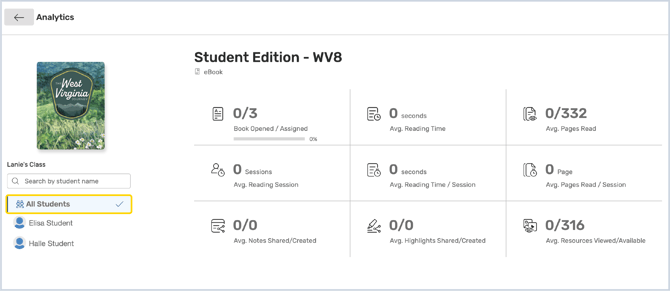
5. You can search for students by name with the search tool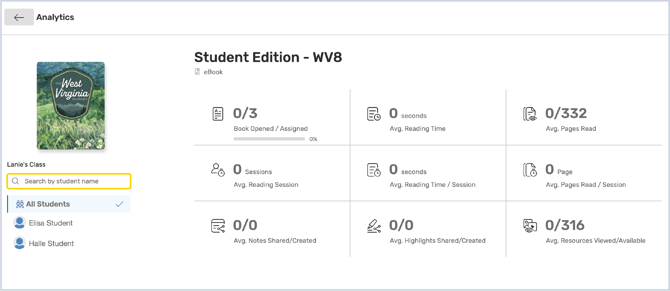
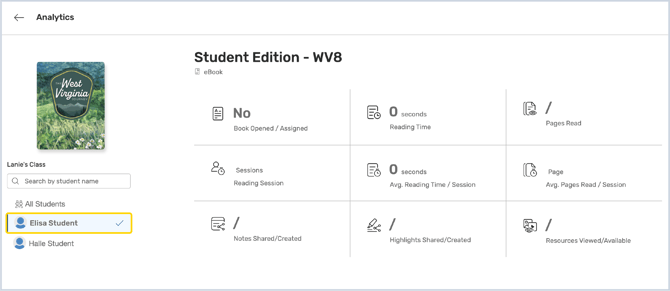
6. Select a student from the list to view student-specific data
This will display the individual student's data. Learn More: Student Analytics
7. Click the Back button to return to the Bookshelf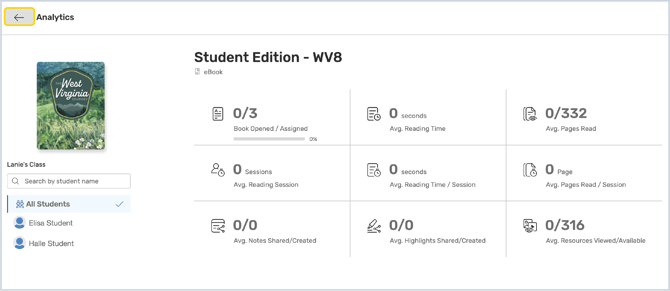
Class Analytics
-
Book Opened/Assigned: The number of books which have been opened out of the number of books which were assigned to the class.
-
Average Reading Time: The average amount of time students have spent inside the book.
-
Average Pages Read: The average number of pages read.
-
Average Reading Session: The average number of reading sessions.
-
Average Reading Time/Session: The average reading time per session.
-
Average Pages Read/Session: The average number of pages read per session.
-
Average Notes Shared/Created: The average number of notes which have been created and shared.
-
Average Highlights Shared/Created: The average number of highlights which have been created and shared.
-
Average Resource Viewed/Available: The average number of resources which have been viewed out of the number of available resources in the book.
Student Analytics
- Book Opened/Assigned: If the student has opened the book, this box will say Yes and If the student has not opened the book, the box will say No.
- Reading Time: The amount of time the student has spent in the book.
- Pages Read: The number of pages the student has read.
- Reading Session: The average number of pages read by the student per session.
- Average Reading Time/Session: The average reading time for the student per session.
- Average Pages Read/Session: The average number of pages read by the student per session.
- Notes Shared/Created: The number of notes which have been created and shared by the student.
- Highlights Shared/Created: The number of highlights which have been created and shared by the student.
- Resource Viewed/Available: The number of resources which have been viewed the by student out of the number of available resources in the book.
Having trouble?
Try enabling pop-ups and clearing cache and cookies