
Within this guide:
• How to Set or Adjust User Data Sharing Settings
• User Data Sharing Descriptions
How to Set or Adjust User Data Sharing Settings
1. Click Users at the top of the page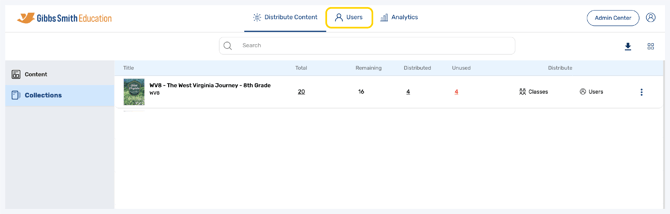
2. (District Accounts Only) Click the School Selection from the top of the page and select which school you would like to manage users and classes for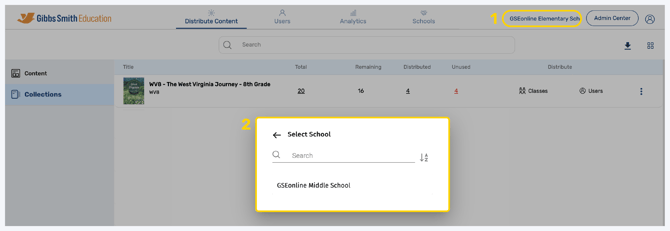
3. Click Classes from the left panel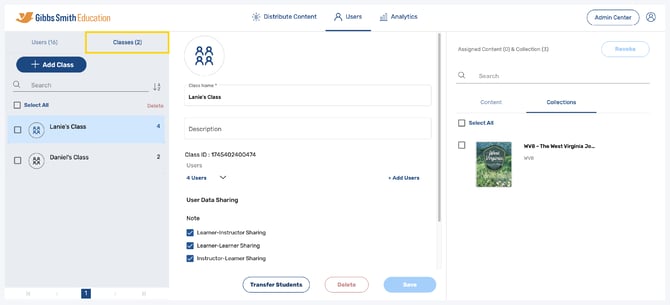
4. Click on the class you would like to edit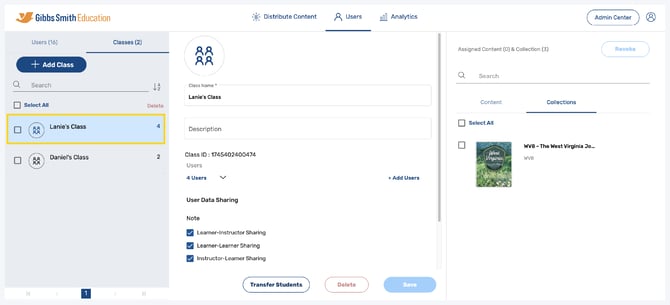
5. Set or update the User Data Sharing settings by checking or unchecking the boxes and clicking Save 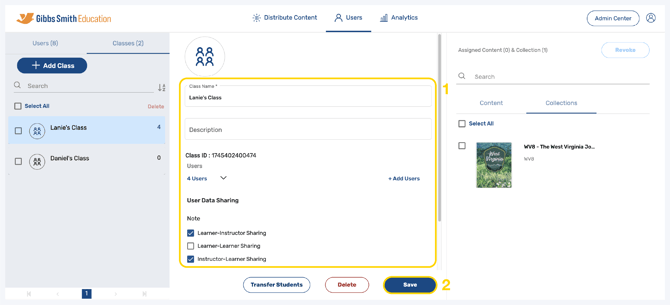
User Data Sharing Settings Descriptions
Notes
- Learner-Instructor Sharing: Students will be able to share notes with teachers.
- Learner-Learner Sharing: Students will be able to share notes with other students.
- Instructor-Learner Sharing: Teachers will be able to share notes with students.
Highlights
- Learner-Instructor Sharing: Students will be able to share highlights with teachers.
- Learner-Learner Sharing: Students will be able to share highlights with other students.
- Instructor-Learner Sharing: Teachers will be able to share highlights with students.