
Note: The options for transferring students depends on whether you are using a District Level or School Level account.
Within this article:
• Transferring Students to Another Class
• Transferring Students to Another School
Transferring Students to Another Class
1. Click Users at the top of the page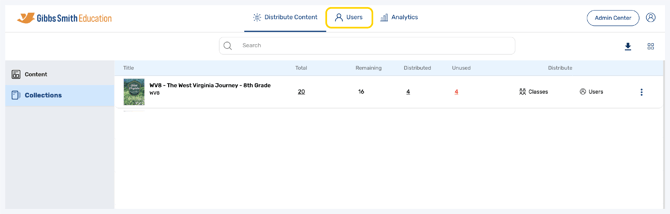
2. Click Classes from the left panel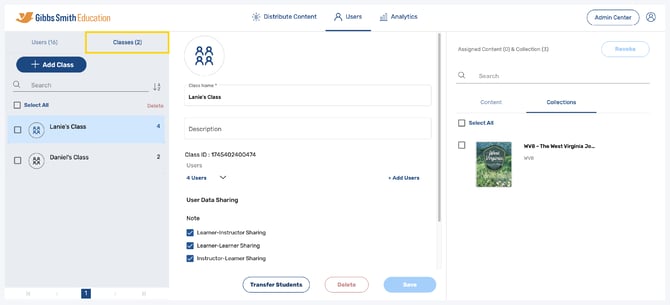
3. Click on the class you would like to transfer students from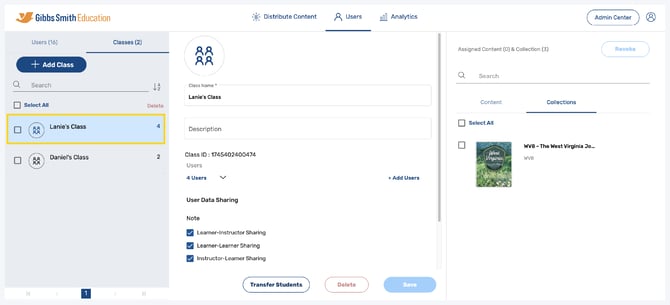
4. At the bottom of the class details, click Transfer Students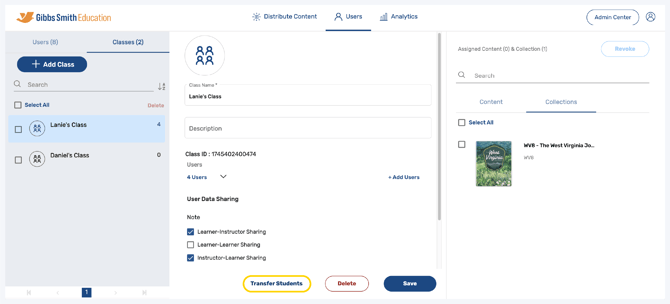
5. In the pop-up, select the class you would like to transfer students to from the list or by using the search feature, then click Next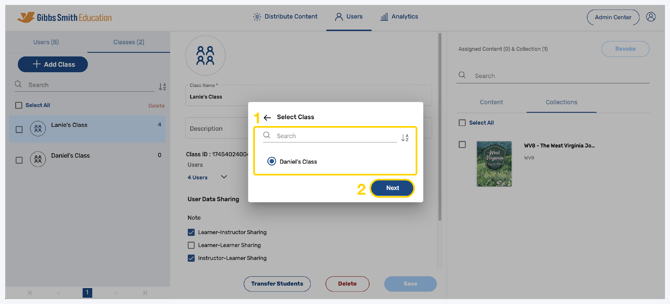
6. Click Yes, Confirm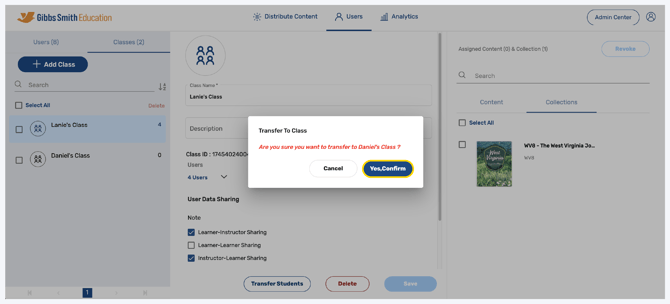
7. Students will be transferred to the selected class
Transferring Students to Another School
Note: Students can only be transferred between schools from a District Level account.
1. Login to a District Level account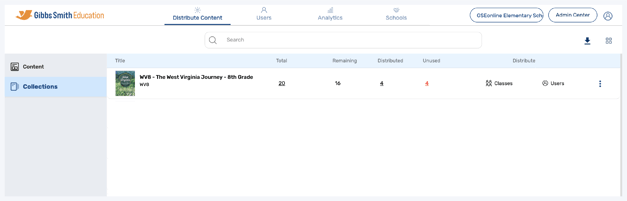
2. Click the School Selection from the top of the page and select which school you would like to manage users and classes for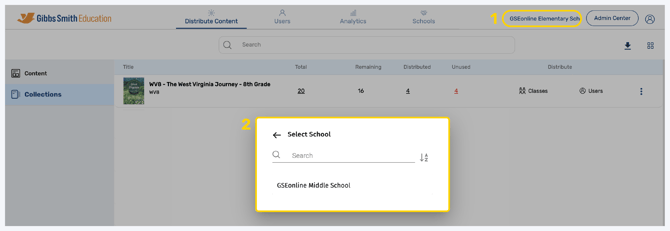
3. Click Users at the top of the page
4. Click Classes from the left panel
5. Click on the class you would like to transfer students from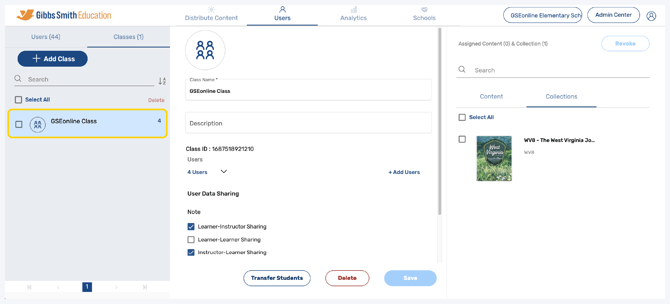
6. At the bottom of the class profile, click Transfer Students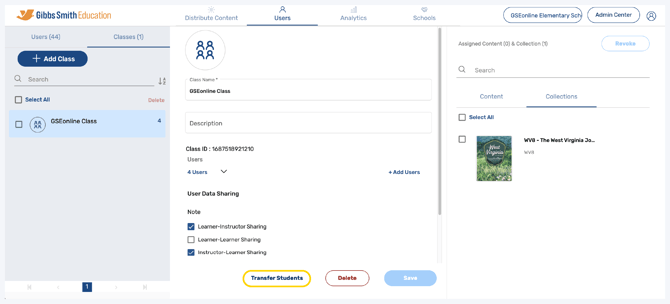
7. In the pop-up, select Transfer to another school and click Next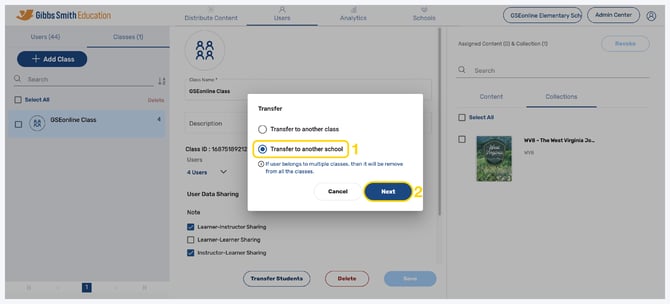
8. Select the school you would like to transfer students to and click Next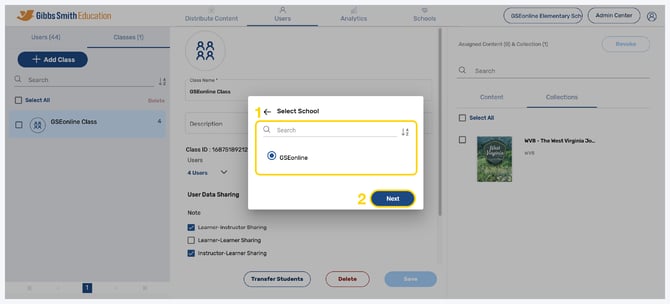
9. Select the class you would like to transfer students to and click Next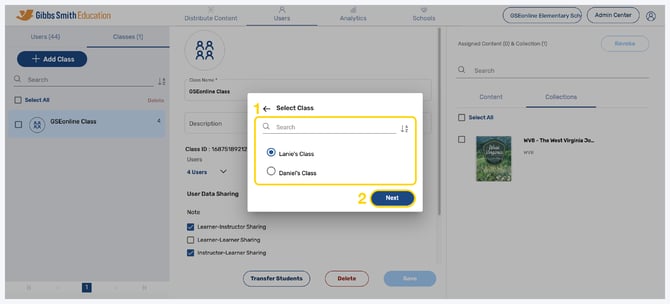
10. Click Yes, Confirm 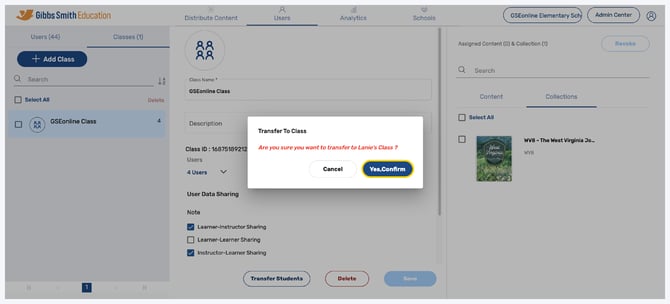
11. Students will be transferred to the selected class in the selected school
Having trouble?
Try enabling pop-ups and clearing cache and cookies