
Important: It is not advised to sync all data if only some of your schools or classes will need access to GSEonline. You can instead use Selective Sync to select which schools and classes will be synced.
1. Login to a District Level account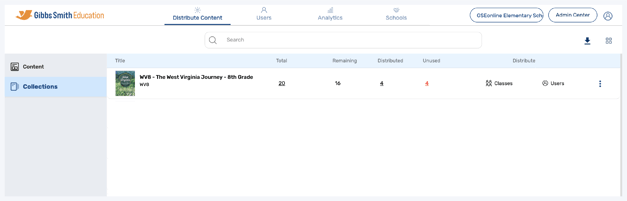
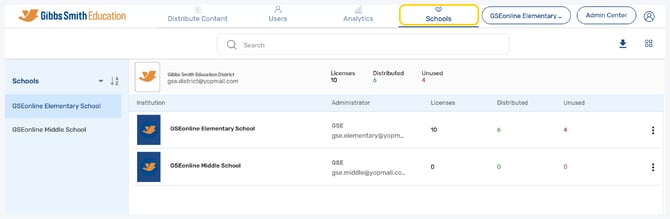
2. Click Schools at the top of the page
Note: If you do not see a Schools option, you may be logged into a School account
3. Click Sync All Data
4. Click Sync All Data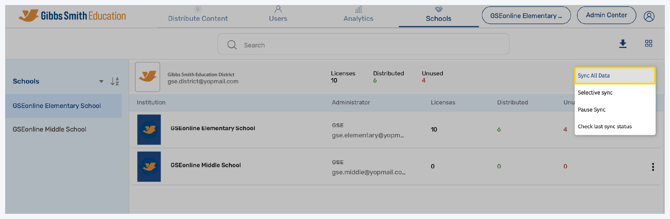
Important: If any discrepancies are found, a pop-up will appear with a URL which you must copy and open in a new tab of the web browser. Once opened, you can see details on missing values.

Having trouble?
Try enabling pop-ups and clearing cache and cookies