
Note: District Level accounts can only be used to create district admins and School Level accounts can only be used to create school admins.
Important: If a teacher is also being set up as an admin, they will not be able to use the same email ID for their admin account and teacher account.
1. Click Admin Center at the top of the page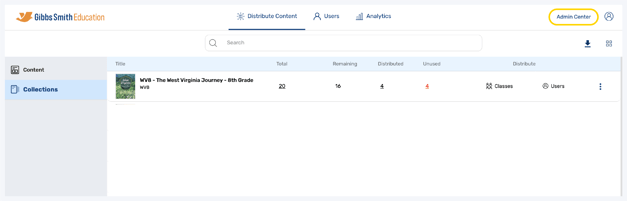
2. Click + Add User
3. Enter the admin's First Name and Last Name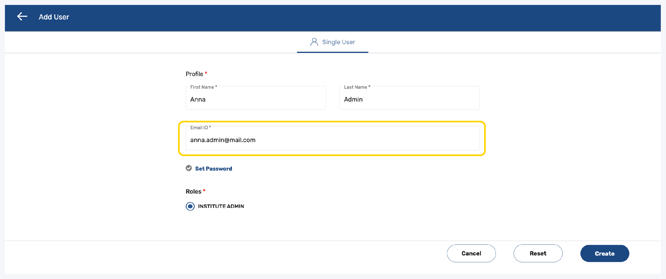
4. Enter the admin's Email ID
Important: This is the email the admin will use to login to the Administrator Portal
Note: If a teacher is also being set up as an admin, they will not be able to use the same email ID for their admin account and teacher account
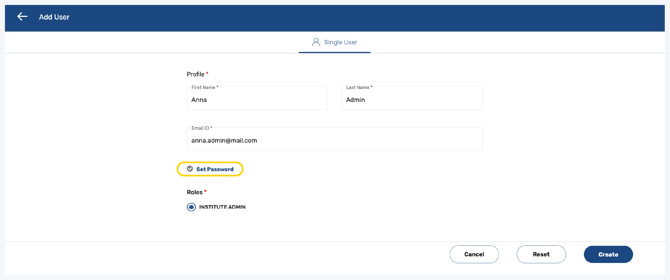
5. Click Set Password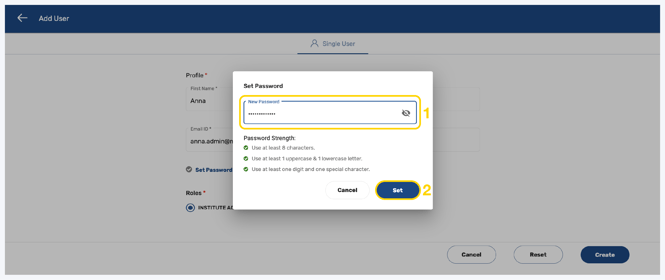
6. Follow the guidelines to create a password and click Set
Important: This is the password the admin will use to login to the Administrator Portal

7. At the bottom right of the page, click Create
Note: You can also Reset or Cancel at any time
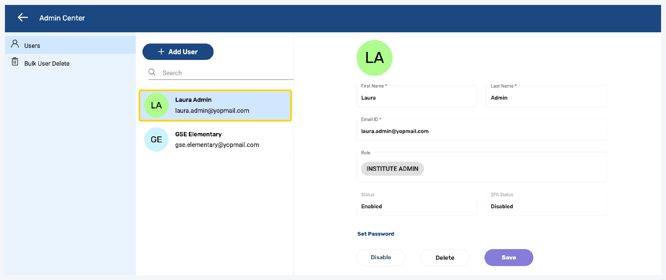
8. The new admin will be created
Having trouble?
Try enabling pop-ups and clearing cache and cookies