
Note: If you would like a Teacher to also have an account on the Administrator Portal, then a second account must be made. GSEonline and Administrator Portal accounts are separate.
Warning: Currently the same email address cannot be registered on both GSEonline and the Administrator Portal. This means a second or generic/non-managed email will need to be used to create the administrator account.
1. Click Admin Center at the top of the page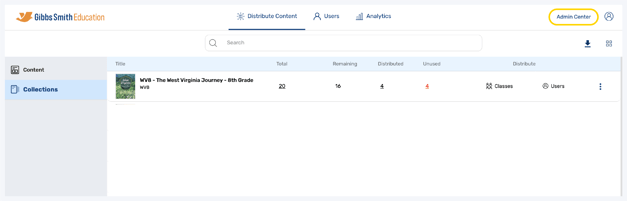
2. Click + Add User
Important: If you are using a District Level account, the teacher will become a District Admin. If you are using a School Level account, they will become a School Admin.

3. Enter the teacher's First Name and Last Name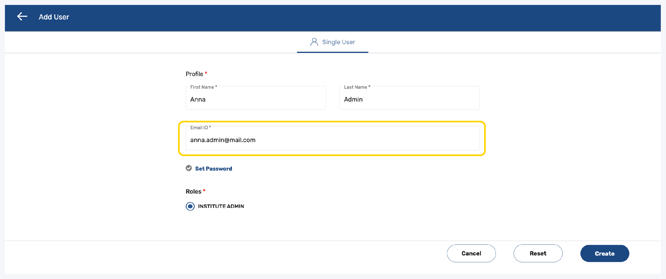
4. Enter the teacher's Email ID
Important: This is the email the admin will use to login to the Administrator Portal
Note: The teacher will not be able to use the same email ID for their admin account and teacher account
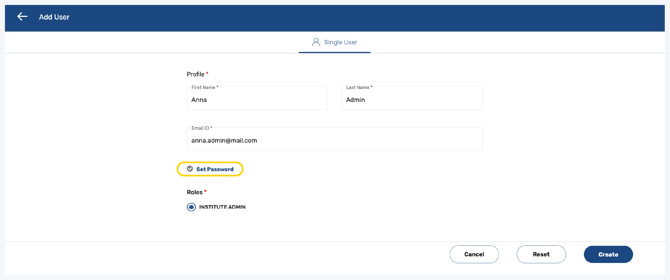
5. Click Set Password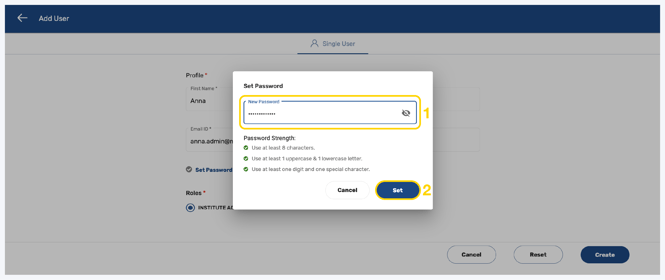
6. Follow the guidelines to create a password and click Set
Important: This is the password the admin will use to login to the Administrator Portal

7. At the bottom right of the page, click Create
Note: You can also Reset or Cancel at any time
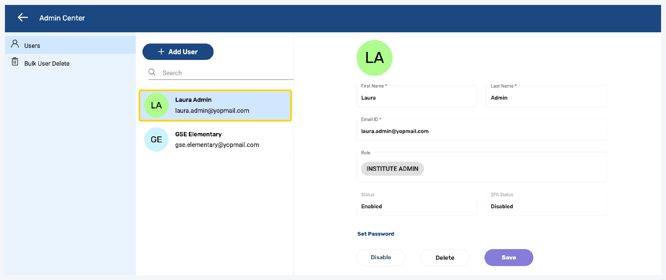
8. The teacher will now have an admin account on the Administrator Portal
Having trouble?
Try enabling pop-ups and clearing cache and cookies