
Tip: Teacher resources can be found in teacher-only digital textbooks, such as Teacher Guides, Teacher Resource Packages, Teacher Tools, and ELL/Student Support Guides.
Within this article:
• PDF Resources
• PowerPoint Resources
PDF Resources
1. As you read, you may see Resource buttons
2. To easily find these resources within a book, click Table of Contents
3. Click Resources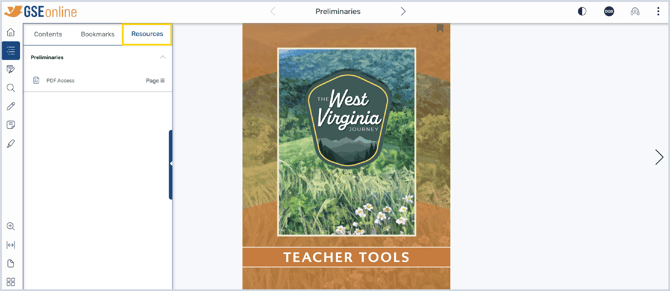
4. Click a title to show resources within that section then click on the resource to navigate to that page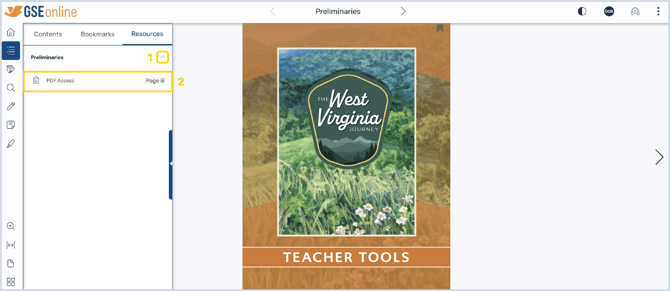
5. Click the Resource button to open the PDF in your browser's PDF viewer
6. Download or print the PDF from the PDF Viewer
Note: This process will vary depending on your browser
PowerPoint Resources
1. Open a Teacher Guide or Teacher Resource Package book in the Reader
2. As you read, you may see Resource buttons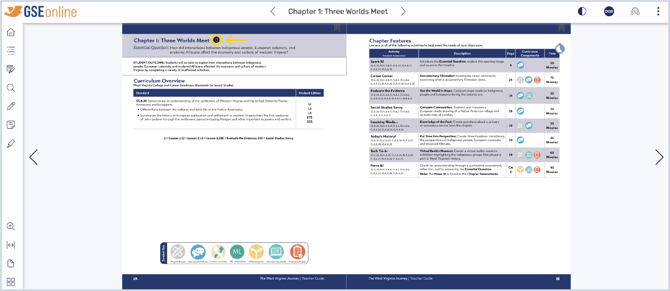
3. To easily find these resources within a book, click Table of Contents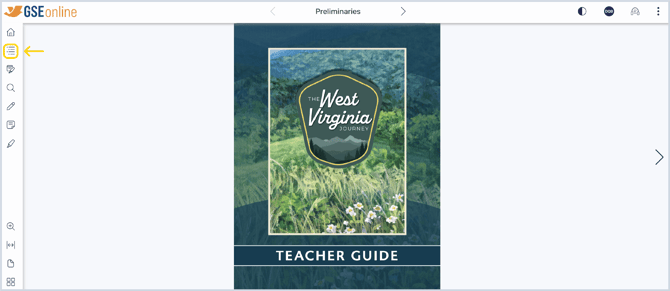
4. Click Resources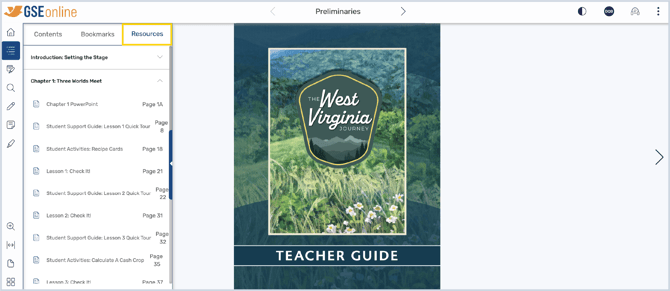
5. Click a title to show resources within that section then click on the resources to navigate to that page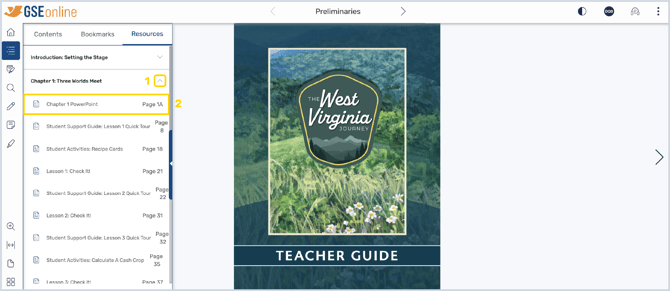
6. Click the Resource button to download the PowerPoint presentation
8. Once downloaded, the PowerPoint file can be opened in a slideshow software, such as PowerPoint
Having trouble?
Try enabling pop-ups and clearing cache and cookies